LogoDescribeImage
  • Home
  • Pricing
  • FAQ

image to prompt

Image to Prompt: Turn Any Image into an AI Prompt

Use this image to prompt generator to turn a reference image into a reusable AI prompt for Midjourney, Stable Diffusion, and other image tools.

Midjourney-style promptsCaptures style and lightingFree account required

Image to Prompt

Turn a reference image into a structured AI prompt covering subject, scene, lighting, angle, and style.

Image upload

Drag and drop an image here

Sign in to upload your own image and generate results.

Supports JPG, PNG, WebP

Max file size: 4MB

Describe Mode
Language
Keyword
Custom question(optional)
507 / 1500
Free single-image mode

Sign in with a free account to upload images and generate results.

Image preview
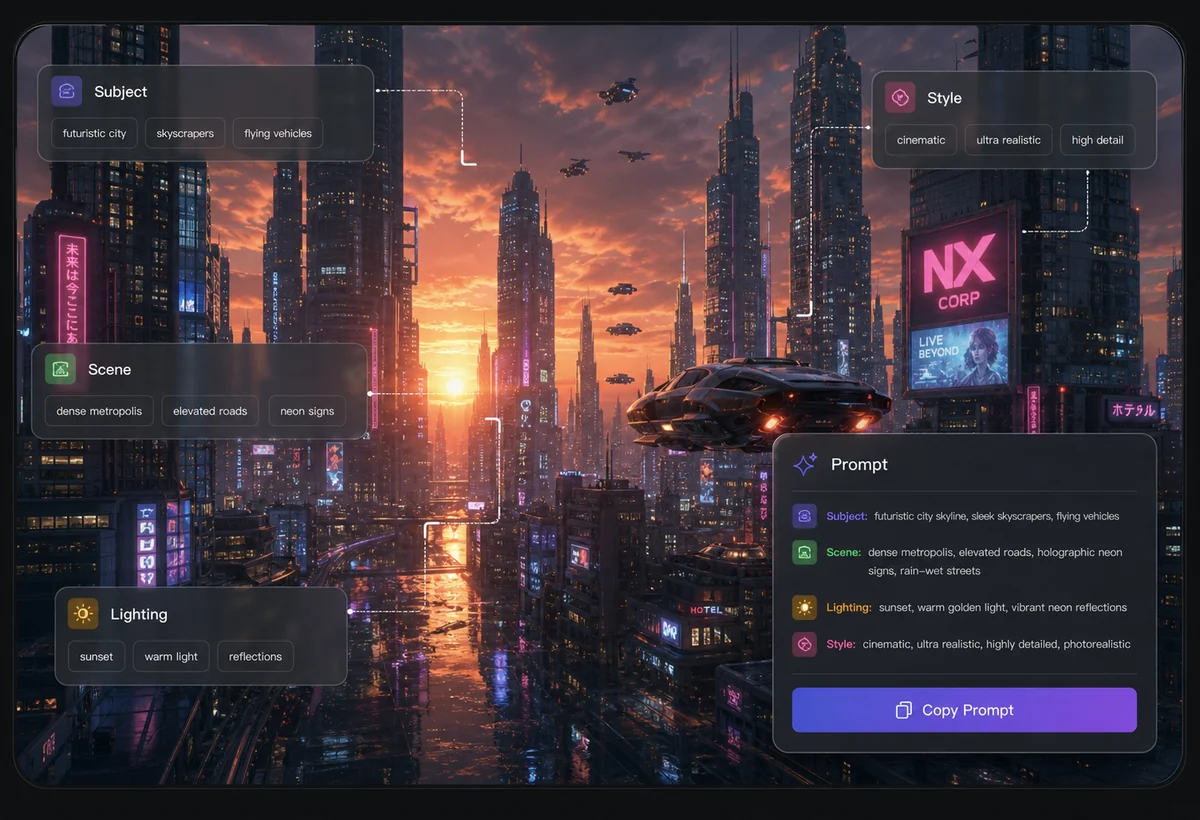
Image to prompt preview showing a futuristic city reference with subject, scene, lighting, style, and prompt overlays.

Concept art reference example

For Midjourney, Stable Diffusion, and DALL-E workflows

Generated output

AI PromptยทEnglish

Keyword focus: image to prompt generator

Adjust the controls and generate a new result.

The image is organized around a clear visual subject, with supporting details that make it useful for accessibility, search snippets, and content production.

Adjust the controls and generate a new result.

Convert an image to a prompt you can reuse

An image to prompt tool reverses the usual workflow: instead of writing a prompt to make an image, you upload an image and get a prompt that describes it. The output captures the subject, setting, lighting, camera angle, and style so you can paste it into Midjourney, Stable Diffusion, or DALL-E and generate variations that keep the same look and feel.

What a good image prompt includes

A useful prompt names the main subject, the scene around it, the lighting and mood, the composition, and the rendering style. This page focuses on prompt output so the result reads like a prompt rather than a paragraph of description. You can add a keyword for extra direction, then trim or reorder terms to match how your image model responds.

When image to prompt is most useful

Reverse-engineering prompts helps when you want to recreate a style you found, build a consistent series, study how a reference image is composed, or give teammates a starting point. Treat the generated prompt as an editable draft; adjust weights, aspect ratio, and model-specific syntax for the tool you are using.

Prompts and descriptions from one image

Generate a prompt here, or switch when you need editable prompt fields or a written description instead.

AI Image Prompt Generator

Use the prompt generator when you want to build and refine prompts with more structure and examples.

AI Image Description Generator

Switch there when you need a readable description of the image rather than a generation prompt.

Image to prompt outcomes

Reusable prompts from any reference

Capture the visual ingredients of an image and turn them into prompts that work across popular text-to-image models.

Image to prompt outcomes

Capture the visual ingredients of an image and turn them into prompts that work across popular text-to-image models.

Identify the main subject and surrounding scene so the prompt recreates the right context.

Image to prompt interface identifying the main subject and scene from a reference imageImage to prompt interface identifying the main subject and scene from a reference image

FAQ

Questions about image to prompt

LogoDescribeImage

Free AI image descriptions for alt text, SEO, captions, accessibility, and prompt workflows.

support@describeimage.org
Product
  • AI Image Describer
  • Alt Text Generator
  • Image Description Generator
  • Image Describer
  • Image to Prompt
  • AI Prompt Generator
  • PTE Describe Image
  • Duolingo Describe Image
Resources
  • Use Cases
  • Pricing
  • FAQ
  • Contact
Legal
  • Cookie Policy
  • Privacy Policy
  • Refund Policy
  • Acceptable Use Policy
  • Terms of Service
2026 DescribeImage